
This article is part of 10 Common Business Listing Mistakes Hurt Your Visibility1 / 1
- Guide overview
- 1. 10 Common Business Listing Mistakes Hurt Your Visibility
In this article
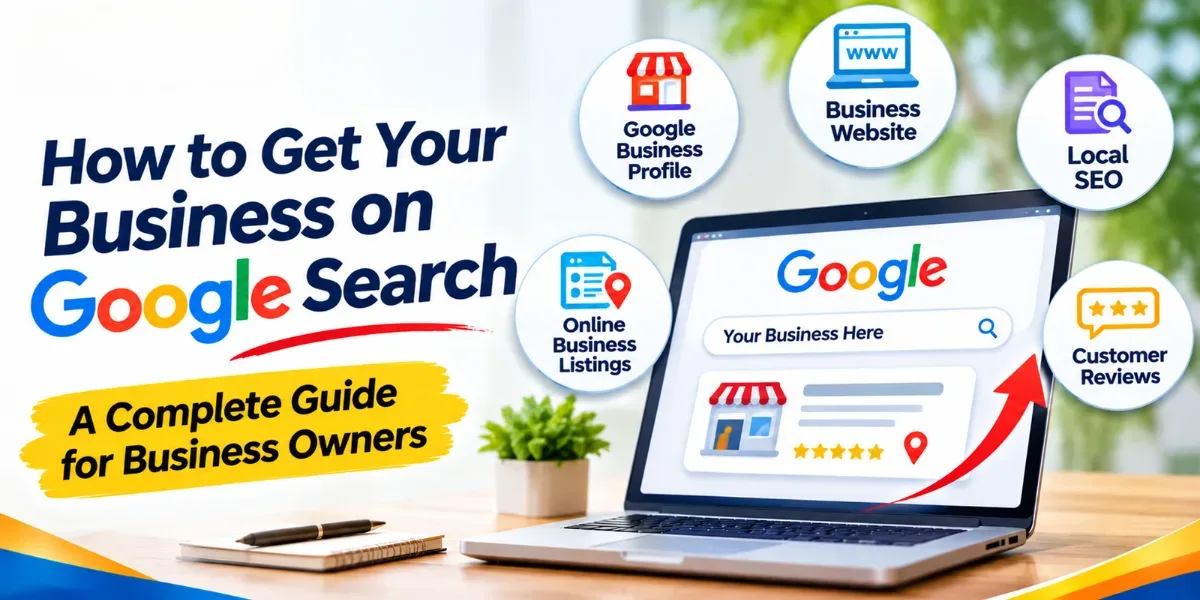
- How to Get Your Business on Google Search: A Complete Guide for Business Owners (2026)
- Why Is Your Business Not Showing on Google Search?
- 1. Create a Google Business Profile
- How to Create a Google Business Profile
- 2. Build a Professional Business Website
- Important Pages Every Business Website Should Have
- 3. Submit Your Website to Google Search Console
- How to Set Up Google Search Console
- 4. Use the Right Keywords on Your Website
- How to Choose Business Keywords
- 5. Create Separate Pages for Your Main Services
- 6. Keep Your Business Information Consistent Online
- Maintain Consistent NAP Information
- 7. List Your Business on Relevant Online Directories
- Why Are Online Business Listings Useful?
- Get Your Business Listed on Bizeleven
- 8. Add Relevant Business Images and Videos
- 9. Collect Genuine Customer Reviews
- How to Manage Customer Reviews
- 10. Publish Helpful Blogs Related to Your Business
- How Long Does It Take for a Business to Appear on Google?
- Common Mistakes That Prevent Businesses from Getting Found Online
- Your Business Visibility Checklist
- Final Thoughts
- Frequently Asked Questions (FAQs)
- 1. How do I get my business on Google Search?
- 2. Is it free to put my business on Google?
- 3. How can I show my shop on Google Maps?
- 4. Why is my business not appearing on Google Search?
- 5. Do I need a website to get my business on Google?
- 6. How long does it take for Google to show my business?
- 7. How can I improve my business visibility on Google?
- 8. Do online business directories help businesses appear on Google?
- 9. Can I list my small business on Bizeleven?
- 10. What is the difference between Google Business Profile and an online business directory?
How to Get Your Business on Google Search: A Complete Guide for Business Owners (2026)
Imagine someone searching on Google for a restaurant, electrician, salon, property dealer, or digital marketing agency. They find several businesses, compare their details, and contact one that matches their requirements.
Now think about your own business.
When someone searches for your business name or the services you offer, can they find you on Google?
For many small business owners, this is a genuine challenge. They provide good products and services, have regular customers, and operate their businesses successfully, but their online presence is limited. As a result, potential customers may find competitors before discovering them.
The good news is that you do not need to be a large company to build an online presence. Small businesses can also improve their visibility through Google Business Profile, a properly optimized website, relevant business listings, and useful online content.
In this guide, we will explain how to get your business on Google Search, how to create your online business presence, and what steps you can take to make your business easier to discover.
Why Is Your Business Not Showing on Google Search?
Before discussing the solutions, it is important to understand why a business may not appear when someone searches for it.
There can be several reasons:
Your business does not have a Google Business Profile.
Your Google Business Profile has not been verified.
Your website is not indexed by Google.
Your website has very little useful content.
Your business information is incomplete or inconsistent.
Your website has technical SEO problems.
Your online presence is new and Google has not discovered all relevant pages yet.
Your business is targeting keywords that are too competitive.
For example, imagine you own a plumbing business. Someone searches for "plumber near me", but your business has no verified profile, no website and very little online information.
Google has limited information to understand and display your business for that search.
This is why creating and maintaining a proper online presence is important.
1. Create a Google Business Profile
One of the first steps for eligible local businesses is creating a Google Business Profile.
Google Business Profile allows eligible businesses to manage how their information appears on Google Search and Google Maps.
It can display important information such as:
Business name
Business category
Address or service area
Phone number
Website
Working hours
Business photographs
Products and services
Customer reviews
For example, if you operate a dental clinic, restaurant, salon, repair shop or other eligible business that interacts with customers in person, a Google Business Profile can help people discover your business information.
How to Create a Google Business Profile
Follow these steps:
Step 1: Visit Google Business Profile
Go to:
https://www.google.com/business/
Step 2: Sign in with Your Google Account
Use the Google Account you want to manage your business with.
Step 3: Enter Your Business Name
Search for your existing business profile first. If it already exists, check whether you can claim it instead of creating a duplicate.
Step 4: Select Your Business Category
Choose the category that best describes your primary business activity.
For example:
Restaurant
Beauty Salon
Electrician
Dental Clinic
Real Estate Agency
Digital Marketing Agency
Step 5: Add Your Business Details
Provide accurate information, including your address or service area, contact details and other requested information.
Step 6: Complete Verification
Google will provide the verification methods available for your business. Follow the instructions shown in your account.
Step 7: Manage Your Business Profile
Once verified, keep your information updated and add relevant photographs, services, products and other available details.
Google offers Business Profiles at no charge for eligible businesses. However, creating a profile does not guarantee a particular position in search results.
2. Build a Professional Business Website
A Google Business Profile is useful, but it should not be your only online presence.
Your website gives customers a dedicated place to learn about your business, explore your services and contact you.
For example, if someone searches for a web development company, they may want to understand:
What services does the company offer?
Does it develop business websites?
Does it provide SEO services?
What projects has it completed?
How can customers contact the company?
A professional website can answer these questions.
Important Pages Every Business Website Should Have
Depending on your business, consider creating these pages:
Home Page: Introduce your business and explain what you offer.
About Us: Share your company background and experience.
Services Page: Explain your products or services.
Contact Us: Provide contact information and enquiry options.
Location Page: Share genuine business location or service-area information.
Blog Page: Publish useful articles related to your industry.
Your website should also be mobile-friendly, easy to navigate and secure with HTTPS.
A website helps Google discover your business information, while also giving customers a better understanding of your services.
3. Submit Your Website to Google Search Console
Have you created a website but cannot find it on Google?
One important step is setting up Google Search Console.
Google Search Console is a free tool that helps website owners understand how their websites perform in Google Search.
It can help you:
Check whether your website is indexed.
Identify indexing issues.
Monitor search clicks and impressions.
Understand which search queries bring visitors.
Submit your XML sitemap.
Identify certain technical problems.
How to Set Up Google Search Console
Step 1: Visit https://search.google.com/search-console/
Step 2: Sign in using your Google Account.
Step 3: Add your website as a property.
Step 4: Complete the ownership verification process.
Step 5: Submit your XML sitemap.
Your sitemap usually looks something like:
https://yourwebsite.com/sitemap_index.xml
Use the actual sitemap URL generated by your website or SEO plugin.
Step 6: Inspect important website URLs using the URL Inspection tool.
If a page is eligible for indexing and meets Google's requirements, you can request indexing.
Remember that submitting a sitemap or requesting indexing does not guarantee that Google will index a page or display it immediately.
4. Use the Right Keywords on Your Website
Imagine you run a digital marketing agency.
Your website mentions only "Welcome to Our Company", but customers are searching for terms such as:
Digital Marketing Services
SEO Services
Social Media Marketing
Website Development
Google Ads Management
If your website does not clearly explain these services, it may be difficult for search engines and visitors to understand what your business offers.
This is why keyword research is an important part of SEO.
How to Choose Business Keywords
Start by identifying:
Your primary service: What is the main product or service you offer?
Your target audience: Who are your potential customers?
Search intent: What would customers type into Google when looking for your services?
For example:
Business Type | Relevant Search Keywords |
Restaurant | Best restaurant, family restaurant |
Electrician | Electrician services, electrical repair |
Dental Clinic | Dentist, dental clinic |
Property Dealer | Property dealer, real estate consultant |
Digital Agency | SEO services, digital marketing agency |
Beauty Salon | Beauty salon, hair styling services |
Use relevant keywords naturally in your page titles, headings, service descriptions and website content.
Avoid repeating the same keyword unnecessarily. Your content should primarily help visitors understand your business.
5. Create Separate Pages for Your Main Services
Many small business websites mention all their services on a single page.
This can make it difficult for visitors to understand individual services and for search engines to identify the specific topics covered by your website.
A better approach is to create separate pages for important services.
For example, a digital marketing agency may have:
SEO Services
Website Development
Social Media Marketing
Google Ads Management
Content Marketing
A plumbing company may have:
Bathroom Plumbing
Pipe Repair
Drain Cleaning
Water Heater Installation
Emergency Plumbing
Each page should contain original, useful information about the particular service.
Include service details, common customer questions, relevant images and clear contact options.
Do not create multiple nearly identical pages simply by changing a city name. Each page should provide genuine value.
6. Keep Your Business Information Consistent Online
One common problem is inconsistent business information across different websites.
For example:
Your website displays one phone number.
Your business directory profile displays another.
Sponsored
Your Google Business Profile shows an old address.
Your social media page uses a slightly different business name.

This can confuse customers and make your online presence harder to manage.
Maintain Consistent NAP Information
NAP stands for:
Name: Your correct business name.
Address: Your accurate business address, where applicable.
Phone: Your active business contact number.
Try to maintain consistent business details across your website, Google Business Profile and relevant online directories.
If your business changes its address or contact number, review and update your existing profiles.
7. List Your Business on Relevant Online Directories
Many business owners focus only on Google and social media, overlooking other online business discovery platforms.
Online business directories allow companies to present their information in organised business categories.
For example, a customer searching for a property dealer, restaurant, electrician or healthcare service may explore relevant business directories to find service providers.
Creating accurate profiles on relevant and trustworthy platforms can provide additional opportunities for business discovery.
Why Are Online Business Listings Useful?
They provide additional online business profiles.
They help present business details in organised categories.
They allow customers to explore businesses by location or service.
They can provide additional discovery opportunities.
They support broader online presence and local SEO efforts.
However, remember that not every directory is equally useful. Focus on relevant platforms, accurate information and quality profiles rather than creating hundreds of low-quality listings.
Get Your Business Listed on Bizeleven
If you are looking for another platform to showcase your business online, you can explore Bizeleven.
Bizeleven is an online business listing and discovery platform where customers can explore businesses across different categories.
Whether you operate a restaurant, hotel, retail shop, salon, clinic, property consultancy or service-based business, you can explore creating a business profile on Bizeleven.
Business owners can:
Create an online business profile.
Add their business description.
Select a relevant category.
Showcase available products and services.
Upload business photographs.
Provide information to help customers discover their business.
Bizeleven offers a free listing option. Its free plan includes a business profile, description and enquiry form, while paid plans offer additional features.
An online directory listing does not guarantee Google rankings, but it can provide another place where potential customers may discover your business.
8. Add Relevant Business Images and Videos
Customers often want to see a business before contacting or visiting it.
Photographs can help them understand what your business looks like, what products you offer and what services you provide.
For example:
Restaurants can upload food and interior photographs.
Salons can showcase their interiors and actual work.
Retail shops can display products.
Hotels can upload room and facility photographs.
Service providers can share genuine project photographs.
Use original images wherever possible.
Make sure your images are clear, relevant and properly optimised for website performance.
For website images, use descriptive file names and meaningful alt text.
For example:
professional-electrician-services.jpg
Alt text:
"Professional electrician inspecting an electrical panel."
Relevant images improve the usefulness and accessibility of your website and business profiles.
9. Collect Genuine Customer Reviews
When people search for a business, they may compare customer reviews before deciding whom to contact.
Reviews can help potential customers understand previous customer experiences.
For example, someone searching for a restaurant may consider its food quality, service and atmosphere. A person searching for an electrician may want to understand the quality of work and professionalism.
How to Manage Customer Reviews
Ask genuine customers to share honest feedback.
Respond politely to positive reviews.
Address genuine complaints professionally.
Avoid fake reviews.
Do not purchase reviews or manipulate ratings.
Use customer feedback to improve your services.
Reviews are useful for building customer confidence, but they do not guarantee a particular Google ranking.
10. Publish Helpful Blogs Related to Your Business
Blogging is another way to build your website's organic search presence.
Instead of publishing only promotional content, create articles that answer the questions your potential customers are searching for.
For example:
Business Type | Blog Topic |
Restaurant | How to Choose the Right Restaurant for Family Dining |
Electrician | 10 Common Electrical Problems in Homes |
Property Dealer | Things to Check Before Buying a Property |
Dental Clinic | Why Regular Dental Check-ups Are Important |
Digital Agency | How SEO Helps Small Businesses Grow |
Beauty Salon | How to Choose the Right Hair Treatment |
A useful blog should answer the reader's question with accurate, relevant information.
Add internal links to related service pages, relevant articles and contact pages.
Publishing useful content consistently can help Google understand the topics your website covers and give visitors more reasons to explore your business.
How Long Does It Take for a Business to Appear on Google?
This is one of the most common questions business owners ask.
The answer depends on what you mean by appearing on Google.
If you create and verify an eligible Google Business Profile, your business information can become available on Google Search and Maps. If you publish a new website, Google first needs to discover and crawl its pages before deciding whether to index them.
For organic search rankings, the time required can vary depending on:
Website age and history
Competition for target keywords
Website quality
Technical SEO
Content relevance
Business location and search intent
Overall online presence
There is no guaranteed timeline for achieving a particular search position.
The best approach is to build a complete online presence, fix technical issues and keep improving your website and business information.
Common Mistakes That Prevent Businesses from Getting Found Online
While working on your online presence, avoid these common mistakes:
Not creating or claiming an eligible Google Business Profile.
Leaving your business information incomplete.
Using incorrect contact details.
Ignoring website indexing problems.
Publishing duplicate or low-quality content.
Choosing irrelevant keywords.
Ignoring mobile website performance.
Creating duplicate business profiles.
Using fake customer reviews.
Expecting immediate Google rankings.
Fixing these issues can help create a more reliable foundation for your online presence.
Your Business Visibility Checklist
Before finishing, use this simple checklist to review your business's online presence.
Create or claim an eligible Google Business Profile.
Complete the available verification process.
Add accurate business information.
Build a professional, mobile-friendly website.
Set up Google Search Console.
Submit your XML sitemap.
Check important pages for indexing.
Optimise website pages with relevant keywords.
Create separate pages for important services.
Maintain consistent business information.
Explore relevant online business directories.
Upload genuine business photographs.
Collect and respond to genuine customer reviews.
Publish helpful, industry-related blogs.
Final Thoughts
Getting your business on Google Search is not about completing just one registration or creating a single online profile.
It requires a combination of accurate business information, a useful website, Google Business Profile, relevant keywords, technical SEO and a consistent online presence.
If you own a small business, start with the basics. Create or claim your eligible Google Business Profile, build a professional website, set up Google Search Console and make sure customers can find accurate information about your services.
You can also explore relevant online business directories such as Bizeleven to create another online business profile and make your business information available to potential customers.
Remember, the goal is not simply to appear online. It is to help the right customers discover your business, understand your services and connect with you.
Want to make your business easier to discover? Create your business profile on Bizeleven and start building your online presence today.
Frequently Asked Questions (FAQs)
1. How do I get my business on Google Search?
You can start by creating or claiming an eligible Google Business Profile, completing its verification and adding accurate business information. You should also build a website, set up Google Search Console and optimise your website for relevant search queries.
2. Is it free to put my business on Google?
Yes. Google Business Profile is available at no charge for eligible businesses. You can create or claim a profile and manage your business information on Google Search and Maps.
3. How can I show my shop on Google Maps?
Create or claim an eligible Google Business Profile, provide your genuine business location and other requested information, and complete the verification process offered by Google.
4. Why is my business not appearing on Google Search?
Your business may not appear because it has not been added or verified, your website is not indexed, your online information is incomplete or your pages are not relevant to the searches you are targeting. Check your Business Profile and Google Search Console for possible issues.
5. Do I need a website to get my business on Google?
An eligible local business can create a Google Business Profile without having its own website. However, having a professional website can provide additional information about your products and services and support your organic search presence.
6. How long does it take for Google to show my business?
The timeline varies. Business Profile verification depends on the methods and review process offered by Google. Website crawling, indexing and ranking can take additional time. There is no guaranteed timeline for ranking.
7. How can I improve my business visibility on Google?
Maintain an accurate Google Business Profile, build a helpful website, use relevant keywords, publish useful content, collect genuine reviews and maintain consistent information across relevant online platforms.
8. Do online business directories help businesses appear on Google?
Relevant online directories can provide additional places where customers may discover your business. They can support your broader online presence, but a directory listing does not guarantee Google indexing or rankings.
9. Can I list my small business on Bizeleven?
Yes. Small businesses can explore registering on Bizeleven, adding their business details, selecting a relevant category and submitting their profile for review. Bizeleven offers a free listing option.
10. What is the difference between Google Business Profile and an online business directory?
Google Business Profile allows eligible businesses to manage how their information appears on Google Search and Maps. An online business directory organises business profiles across categories and locations, giving users another way to discover businesses. Both can be part of a broader online visibility strategy.
Need help choosing? See listed IT services and professional services on Bizeleven.
Own a business? Get found by more customers
List your business free on Bizeleven and start receiving enquiries today.